
Digital Visiting Card (vCard) save to phone in one tap
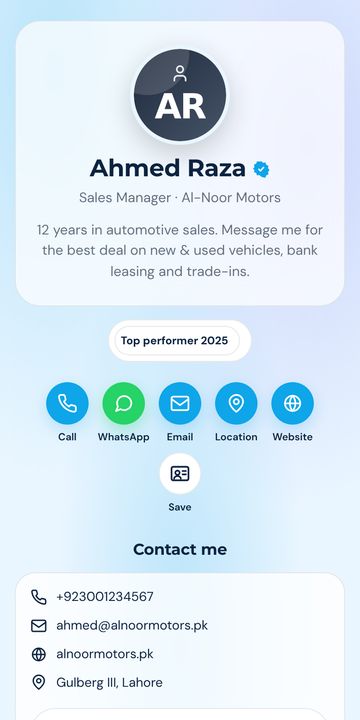
Your personal card at cutt.pk/@your-name. Share a link or QR — the other person taps Save and your name, number, photo and email land in their Contacts.
Everything in one link
True vCard download
A standards-compliant .vcf with photo, title, company, phones, email, address and social links.
Personal fields
Prefix (Dr / Engr / Mr), first & last name, job title, company, headline, about.
Appointment booking
Built-in request form (lands in your leads) or your Calendly / Google Calendar link.
Portfolio & documents
Show your work, attach your CV or brochure as PDF.
Link to your company
Attach your card to the company profile — you appear on its Team section automatically.
Share everywhere
WhatsApp, Facebook, LinkedIn, SMS, email, copy link, QR — plus add-to-home-screen on phones.
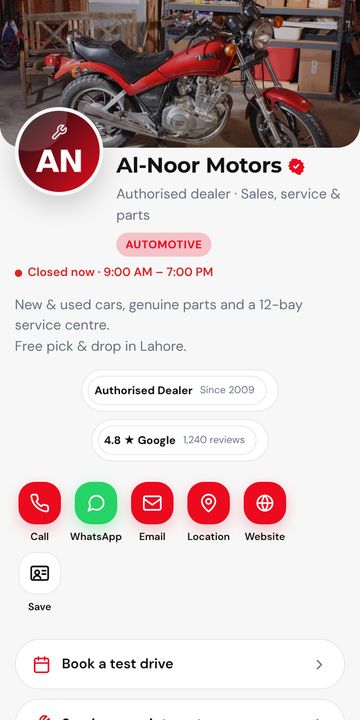
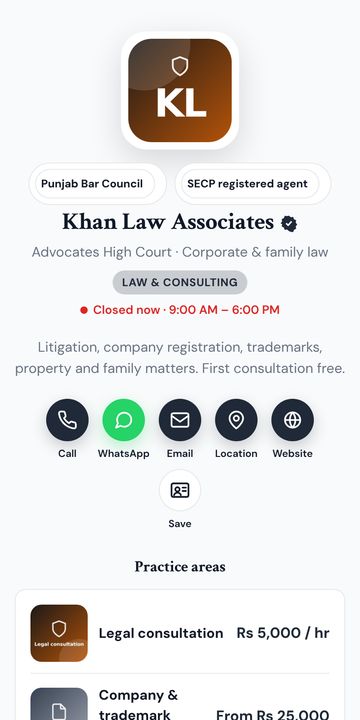
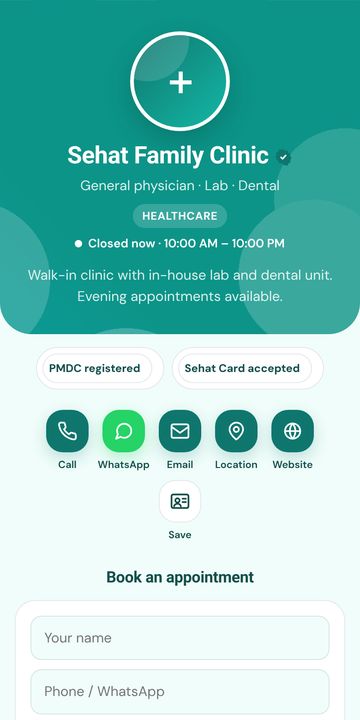
36 designs, 8 layouts — change any time
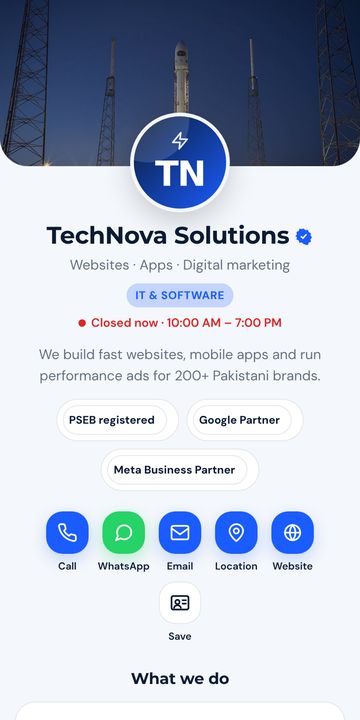
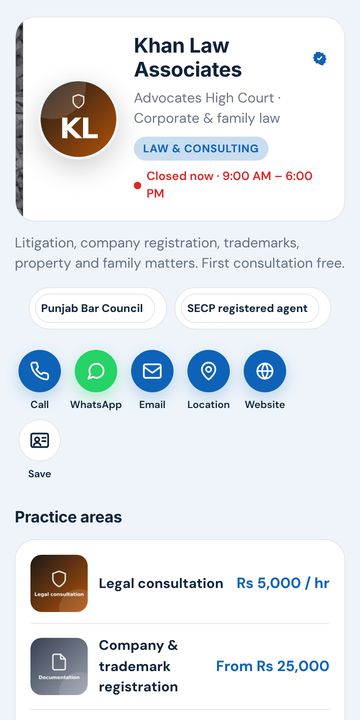
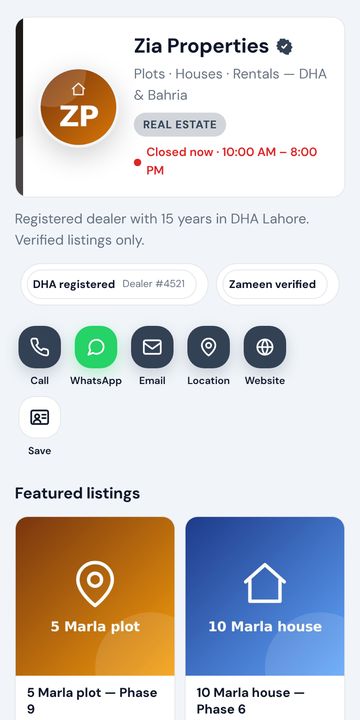
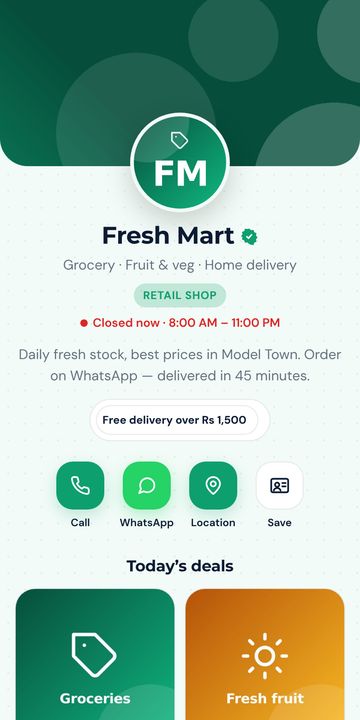
Business, personal, creative, dark, luxury, minimal and industry packs. Every colour, font, button and pattern is adjustable. Tap a design to open the live demo.
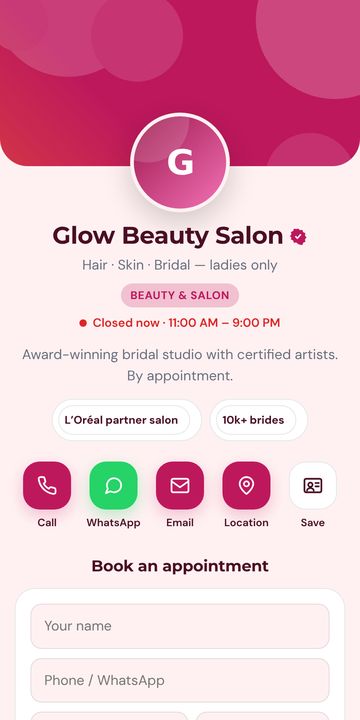
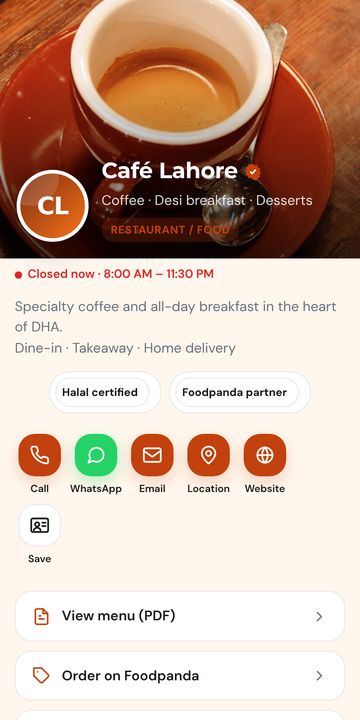
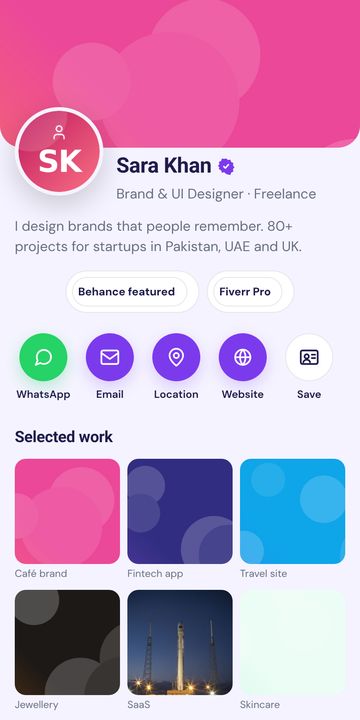
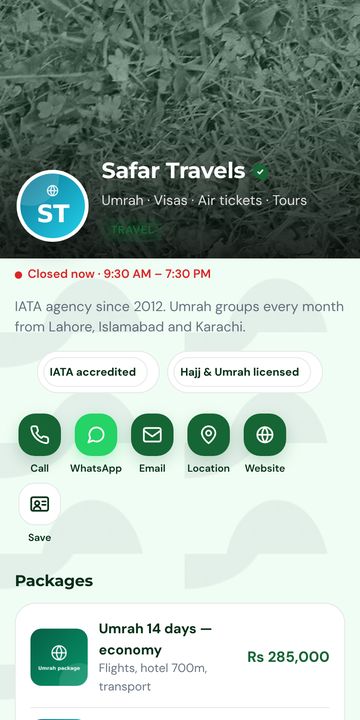
Live in 2 minutes
Sign up with WhatsApp or email OTP. One account works on cutt.pk, surl.pk, tiny.pk.
Name, number, WhatsApp, photo/logo, services. Pick a design. Everything saves automatically with a live phone preview.
Put the link in your bio, print the QR on your card or shop board, send on WhatsApp. Update any time without reprinting.
Frequently asked questions
What is a vCard?
vCard (.vcf) is the standard contact file format that phones understand. When someone opens it, their phone offers to save you to Contacts with photo, numbers, email and company.
Do I need an app?
No. The card is a web page and the vCard is downloaded by the browser. Works on iPhone, Android and desktop.
Can I put the QR on my printed visiting card?
Yes. Download the QR (PNG or SVG) from your dashboard and give it to your printer. Changing your number later does not require reprinting.
Can I have more than one card?
Yes — e.g. one personal and one for your business. Limits are shown in your dashboard.
Ready? It's free.
Your personal card at cutt.pk/@your-name. Share a link or QR — the other person taps Save and your name, number, photo and email land in their Contacts.